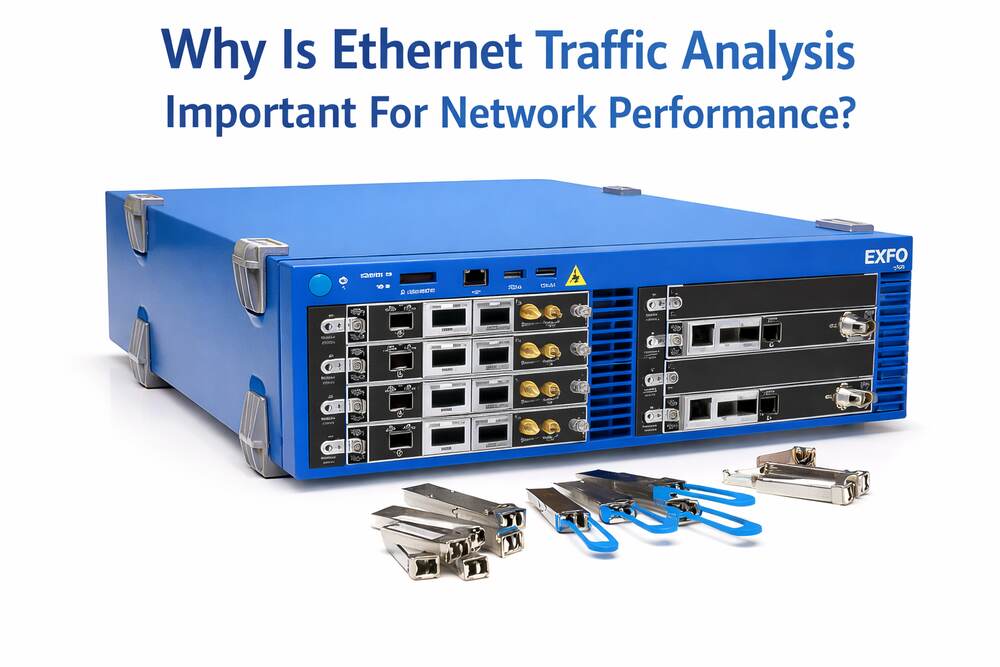
Do you know what really happens to data as it moves across your Ethernet network? Ethernet traffic analyzer reveals how packets flow, where delays appear, and which devices consume bandwidth.
You can spot congestion, spot errors early, and understand daily usage behavior by watching traffic patterns. This insight supports faster troubleshooting, steadier connections, and smarter capacity planning.
Let us read this article to explore how traffic visibility shapes network performance.
Packet Flow Visibility
This analysis shows how data packets move between devices. It reveals which paths packets take and how long each step lasts.
They can link delays to switches, cables, or busy devices. Clear packet flow views also show normal usage patterns during the day.
This knowledge supports faster checks and better control of daily network activity. It also aids planning and routine monitoring tasks.
Bandwidth Usage Tracking
It shows how much bandwidth each device and application uses. It reveals which systems send or receive the most data. This view helps teams spot heavy usage during work hours or peak times.
Large file transfers and streaming tools become easy to identify. When one device uses too much bandwidth, others may slow down.
It also helps confirm whether usage matches daily needs. Correct data records allow better decisions about limits, upgrades, and usage policies.
Latency Source Detection
It helps locate where delays begin inside a network. It measures how long packets take to travel between devices. Slow response times can then be linked to switches, links, or overloaded systems.
This process shows whether delays appear at specific times or under certain loads. By comparing normal and slow periods, teams can narrow down the cause.
Accurate delay data reduces guesswork during checks. It also supports smoother data flow by showing where timing problems start and how they spread.
Packet Loss Insight
It reveals when data packets fail to reach their destination. It shows how often packets drop and where the loss occurs. Packet loss can result from busy links, faulty cables, or device limits.
Even small loss levels can affect voice, video, and file transfers. Clear visibility into packet loss helps maintain stable data flow.
Congestion Detection
It helps reveal where network congestion builds up. It shows links and devices that handle more data than they can process. When too much traffic passes through one path, delays and drops can occur.
Congestion data highlights peak hours and busy segments. This allows teams to see patterns that repeat each day. With this view, traffic can be balanced across other paths.
Device Communication Behavior
It shows how devices communicate with each other on the network. It reveals which devices connect often and which remain mostly idle.
This view helps spot unusual communication patterns that may signal faults or misuse. Devices sending data at odd times become easier to notice. Repeated connection attempts or constant background traffic also appear clearly.
Teams gain better awareness of normal network activity by studying device behavior. This knowledge supports quicker response when device actions change or cause disruption.
Capacity Planning Data
It provides clear data for future network planning. It shows traffic growth over time and highlights busy links and quiet areas.
This avoids sudden overload during business growth or new system launches. Historical traffic records support smarter upgrade timing.
They also help compare expected demand with real usage. With accurate capacity data, networks can scale in a controlled way without wasted resources or surprise limits.
Unusual Traffic Patterns
It helps detect traffic that does not match normal network behavior. It reveals sudden spikes, repeated scans, or data flows at odd hours. These patterns may signal misconfigured devices or unsafe activity.
Small changes can be seen before they grow into larger problems. This visibility supports faster review and response. It also helps confirm whether new software or devices behave as expected on the network.
QoS Policy Review
It allows teams to check how quality of service rules work in real traffic. It shows whether priority data like voice or video receives faster delivery than other traffic.
Delays or drops in priority flows become visible. This review helps confirm that traffic classes behave correctly during busy periods.
FAQS
What is Ethernet traffic analysis?
Ethernet traffic analysis is the process of monitoring and studying data moving through a network to understand how it performs.
Why is Ethernet traffic analysis important?
It helps identify network problems early and keeps data moving smoothly without delays.
How does traffic analysis improve network speed?
It shows where congestion happens so bandwidth can be managed better and speeds stay consistent.
Can Ethernet traffic analysis help prevent network downtime?
Yes. It detects unusual activity and faults before they cause network failures.
How does traffic analysis help find network bottlenecks?
It tracks data flow and highlights areas where too much traffic slows down performance.
Why is traffic analysis useful for troubleshooting?
It helps IT teams quickly locate the source of errors, packet loss, or slow connections.
Does Ethernet traffic analysis improve network security?
Yes. It can detect suspicious or abnormal traffic that may signal security threats.
How does traffic analysis support better capacity planning?
It shows usage trends so networks can be upgraded before performance issues occur.
Is Ethernet traffic analysis important for large networks only?
No. Small and medium networks also benefit from better visibility and performance control.