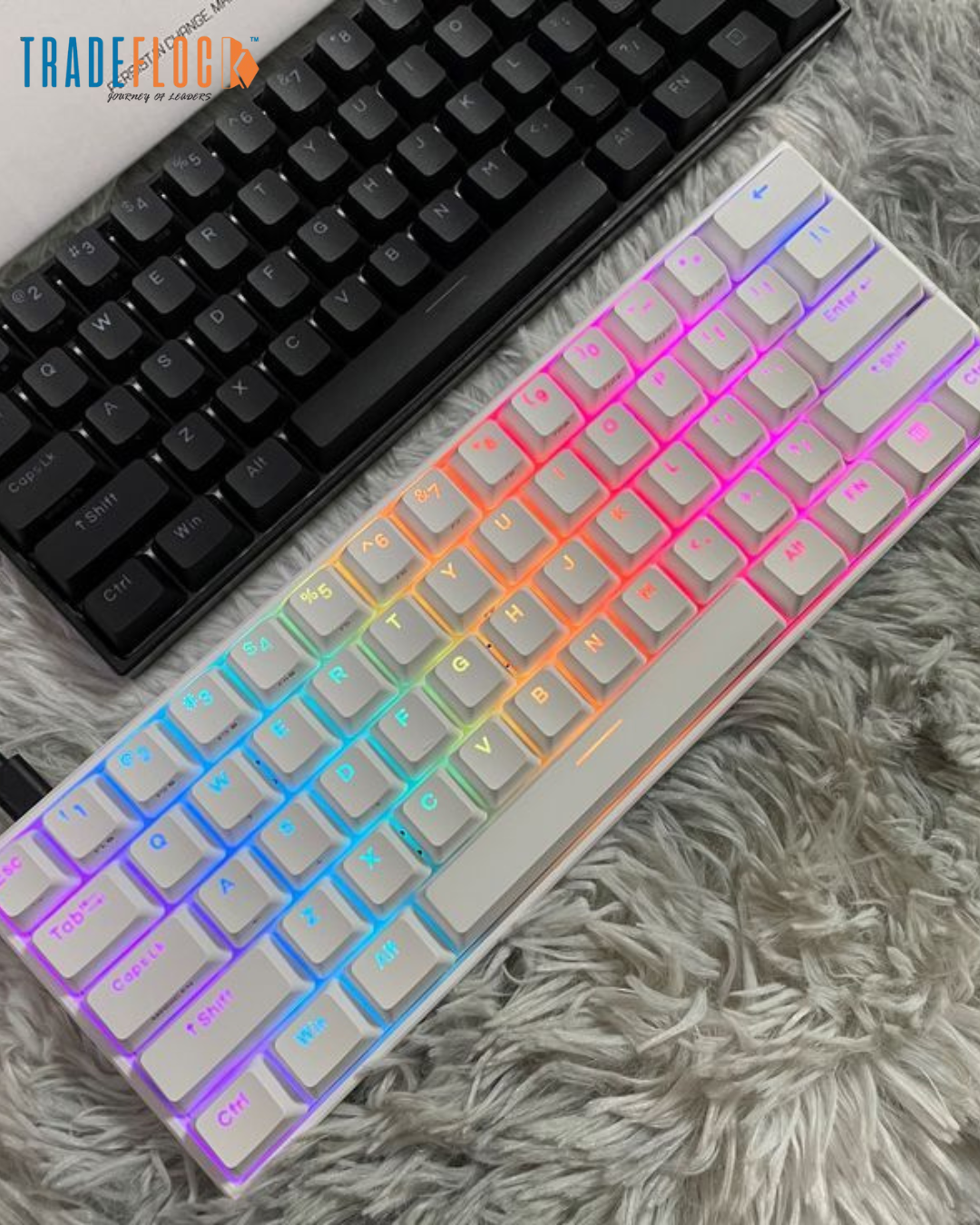
The anne pro 2 software is the essential tool for anyone who owns an Anne Pro 2 keyboard — one of the most popular compact mechanical keyboards among gamers, programmers, and productivity enthusiasts. Unlike plug-and-play keyboards, the Anne Pro 2 offers deep customization options that are unlocked through software, allowing users to personalize lighting, key functions, macros, and more.
In this guide, we’ll explain what anne pro 2 software is, how it works, where to get it safely, how to use it, and the alternatives available — all in clear, beginner-friendly detail.
What Is Anne Pro 2?
Before diving into the software, it helps to understand the hardware:
The Anne Pro 2 is a 60% compact mechanical keyboard known for:
-
Bluetooth and USB-C connectivity
-
RGB backlighting
-
Programmable layers and macros
-
High build quality with customizable switches
-
Strong community support
But to truly unlock its potential, you need the anne pro 2 software — the companion application that lets you configure nearly every aspect of the keyboard’s behavior and appearance.
What Is Anne Pro 2 Software?
The anne pro 2 software refers to the official customization utility provided for the Anne Pro 2 keyboard. Depending on the version, it may be referred to as:
-
ObinsKit
-
ObinsLab Starter
-
Anne Pro 2 Configuration Utility
🔍 Key purpose: This software lets you configure your keyboard’s lighting, key assignments, macros, layers, and firmware from your computer.
It’s not a game, not a driver, and not required for basic typing — but it is essential if you want a personalized setup.
Key Features of Anne Pro 2 Software
Here’s what the anne pro 2 software lets you do:
1. Key Remapping
Change what any physical key does. Turn a Caps Lock into Escape, a rarely used key into a macro button, or create custom layer behavior.
2. Layer Configuration
The Anne Pro 2 supports multiple layers (like Fn layers) — each with separate key mappings — and the software is where you set these up.
3. Macro Recording
Define complex sequences — such as shortcuts, text snippets, or repetitive commands — that run with a single key press.
4. RGB Lighting Customization
Customize backlighting effects, set per-key color zones, control animations, and save lighting profiles.
5. Firmware Updates
Keep your keyboard updated with the latest firmware to fix bugs or add new features. The software handles this safely for you.
How Anne Pro 2 Software Works
The anne pro 2 software works by communicating with your keyboard over a USB-C wired connection. While the keyboard can connect over Bluetooth for typing, many customization features (especially firmware updates and complex remapping) only work when connected via cable.
Here’s a high-level view of how it functions:
-
Detect Keyboard: The software recognizes the hardware connected via USB-C.
-
Load Firmware Profile: It retrieves the current profile settings from the keyboard.
-
Customization UI: You interact with a visual interface to change key maps, layers, lighting, and macros.
-
Save & Apply: Once configured, you save your settings and apply them to the keyboard’s memory.
-
Optional Firmware Updates: You may check for and apply official firmware updates through the software.
The process is user-friendly once the software is installed and connected.
Where to Download Anne Pro 2 Software Safely
Official download locations for the anne pro 2 software have changed over time, and the original manufacturer site sometimes has broken or outdated links. Here’s the safest way to obtain the software:
✔ Official Manufacturer Downloads
Search for “Anne Pro 2 ObinsKit” or “ObinsLab Starter” via the manufacturer’s official site or verified support pages.
Tip: If the official site is unavailable, check the keyboard’s packaging or manual for a QR code or printed download link.
✔ Trusted Community Archives
Some enthusiast communities and GitHub repositories archive versions of the software. Only use these if they’re from verified keyboard communities such as:
-
r/AnnePro on Reddit
-
QMK/ObinsLab archives on GitHub
-
Keyboard enthusiast forums
Important: Avoid random third-party “download” sites that may bundle malware or adware.
✔ Always Scan Downloads
Even when downloaded from a reputable source, run a quick antivirus scan before installation.
Step-by-Step: Installing Anne Pro 2 Software
Here’s a simplified installation flow for the anne pro 2 software:
-
Download the installer (Windows or macOS).
-
Run the installer and follow on-screen instructions.
-
Connect your Anne Pro 2 via USB-C.
-
Open the application and let it detect the keyboard.
-
Explore settings: lighting, layers, macros, etc.
-
Apply and save your custom profile.
If the software doesn’t detect your keyboard initially, try:
-
Reconnecting the USB cable
-
Trying a different USB port
-
Restarting the app
Alternatives to Official Anne Pro 2 Software
While the official anne pro 2 software covers most use cases, advanced users sometimes explore alternative firmware and tools.
1. Open Anne Pro / QMK Firmware
A community-driven firmware option that replaces the stock firmware with QMK — providing:
-
Full custom keymaps
-
Advanced layers
-
Custom LED effects
-
Community support
⚠️ Note: QMK installation requires technical steps and is best suited to experienced users.
2. VIA
Some enthusiasts attempt to use VIA (a dynamic key remapping interface) with custom configurations. Compatibility varies and may require custom firmware.
These alternatives offer greater control but are not official and require careful setup.
Common Questions About Anne Pro 2 Software
Do I need the software to type with my keyboard?
No — basic typing works without it. The software is only needed for customization.
Can the software be used over Bluetooth?
Some features work over Bluetooth, but advanced customization and firmware updates typically require USB-C.
Will the software void my warranty?
Using official software does not void the keyboard’s warranty. Custom firmware like QMK may affect warranty terms.
Is the software free?
Yes — the official anne pro 2 software is provided at no additional cost.
Tips for Best Results With Anne Pro 2 Software
✔ Always back up your settings before a firmware update.
✔ Use a quality USB-C cable to avoid connection issues.
✔ Save multiple profiles if you switch between gaming and work setups.
✔ Explore community profiles — many users share layouts online.
✔ Keep the software updated for stability and new features.
Conclusion
The anne pro 2 software is an essential companion for anyone who wants to unlock the full potential of the Anne Pro 2 keyboard. From remapping keys and programming macros to designing custom RGB setups and updating firmware, the software provides powerful tools for personalization and productivity.
Whether you’re a gamer looking for flawless performance, a developer setting up workflow shortcuts, or a keyboard enthusiast who loves custom layouts, understanding and using the anne pro 2 software can transform your experience.
Always download from safe sources, keep backups, and explore the many customization possibilities — the keyboard is capable of much more than just typing.