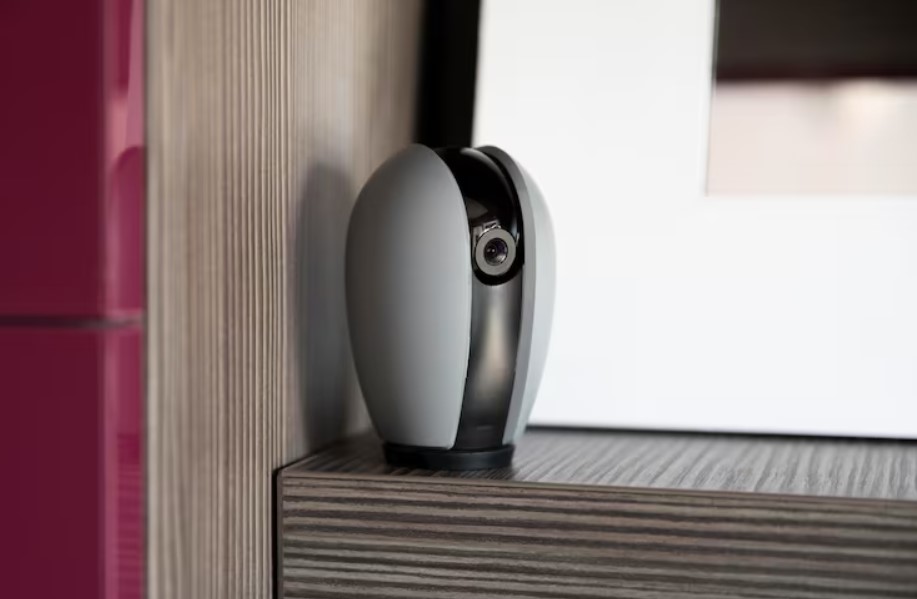
Home security looks simple today, yet many homeowners feel lost when choosing the right wireless CCTV system. The choice seems wide, the tech keeps changing, and every model claims to be better than the last. It’s no wonder many worry about picking a camera that fails when it matters most.
Wireless CCTV for home in Singapore works well when you know what to check before you install it. This guide gives you the key details that help you pick the right system with confidence. You’ll learn how these cameras work, the rules to follow, and what features matter in real life. Let’s break it all down in a clear and simple way.
How Wireless CCTV Systems Work in Singapore Homes
Wireless CCTV runs on Wi-Fi, so there’s no long cable running across your home. The camera sends video to your phone app or a cloud service. This makes it easy to install, even in flats where drilling may cause issues.
Many think wireless means no power cable, but most models still need a power point. A few run on batteries, though these need regular charging.
The main thing to note is Wi-Fi strength. Weak signals lead to delays and poor footage, so a stable home network matters more than people expect.
Why Many Singapore Homeowners Prefer Wireless Cameras
Wireless cameras appeal to many because they remove most of the fuss linked to older systems. There are no long cables to hide. You also get more freedom in placement.
Simple Setup
You can place wireless cameras almost anywhere. This gives you freedom when planning coverage around corridors, gates and indoor areas.
Easy to Move
If you shift furniture or move home, you can take the cameras with you. Condo tenants like this flexibility.
Clean Look
No messy wires. Many choose wireless units because they blend into the home without major changes.
Smart Features to Look For
Helpful Features
- Person detection
- Two-way audio
- Mobile alerts
- Good night vision
- Wide viewing angle
Optional Features
Some features sound appealing but may not be necessary for every home:
- AI tracking
- Pan-tilt-zoom
- Face recognition
Choose only what you’ll use daily. The simplest setup is often the most reliable.
Key Things to Check Before Installing Wireless CCTV for Home Singapore
This section is where most buying decisions go wrong. Thinking through these points helps you pick a camera and setup that fits your home.
1. Wi-Fi Strength and Coverage
Poor Wi-Fi means poor security. Thick walls, metal gates and router distance cut signal strength.
- Test your Wi-Fi in the exact spot you plan to place the camera.
- Consider Wi-Fi extenders if coverage is weak.
A stable signal ensures smooth video, clear audio and fewer dropouts.
2. Camera Resolution and Night Mode
Sharp video helps when you need to zoom in on faces or small details. In homes, 1080p works well, but many now choose 2K or 4K for extra clarity.
Night mode is vital because most incidents happen in dim areas or at night. Look for infrared or colour night vision for better detail.
3. Storage Options: Cloud vs Local
Some cameras save clips to the cloud. Others store footage on a microSD card.
- Cloud storage gives access from anywhere and keeps clips safe even if the camera gets damaged.
- Local storage cuts monthly fees and suits those who want more privacy.
Think about how long you want to keep the footage. Short-term storage may work for a small flat, while longer retention helps landed homes.
4. Privacy Rules and HDB or Condo Guidelines
In Singapore, you must position cameras in a way that respects neighbours’ privacy. This means you cannot point a camera at someone’s window, corridor or door if it invades their personal space.
HDB and some condo MCSTs have rules on drilling, visible devices and shared corridor areas. Always check the rules before you mount the camera, especially outdoors. Doing this prevents conflicts and ensures you stay compliant.
5. Power Source and Battery Life
Wireless does not always mean cable-free. Some models use power cords, while battery-powered units need charging.
If you choose battery options, check:
- How long one charge lasts
- Whether motion alerts drain the battery fast
- If it supports solar charging
Homes with many entry points may need both types for full coverage.
6. Motion Detection Accuracy
Some cameras react to every small movement. Others use smart detection that spots people, pets or vehicles. Smart detection reduces false alerts and saves storage space.
It’s worth choosing a camera with adjustable motion zones. This lets you block out areas like roads or lifts that cause constant alerts.
Should You Install Wireless CCTV Yourself or Hire a Pro?
DIY Works When
- You only need indoor cameras
- Your Wi-Fi signal is strong
- The camera uses a simple app setup
Hire a Technician When
- You need cameras outdoors
- You have many blind spots to cover
- You prefer strong mounting or concealed wiring
- Your condo has strict rules
A pro may also help advise on the most secure spots for your layout.
Placement Tips for Better Wireless CCTV Coverage
Place Cameras at the Right Height
A height of about 2.2–2.5 metres works well. It stops easy tampering while giving a clear view of faces.
Cover Entry Points First
Doors, windows, corridors and service yards are the best places to start. Most intrusions happen at these spots.
Avoid Direct Sunlight
Pointing a camera toward the sun causes glare. Angle it slightly downward for a clean view.
Cost Breakdown: Wireless CCTV Installation for Home Singapore
Prices vary across models and features. Here’s a simple overview so you know what to expect for wireless CCTV installation for home in Singapore:
Average Costs
- Basic wireless cameras: from SGD 36 – SGD 75
- Mid-range smart cameras: from SGD 55 – 100 each
- High-end units with 2K/4K video: SGD 300–600
If you want professional installation, costs range from SGD 80–200 per camera, depending on placement and wiring needs.
Understanding Security Risks and How to Avoid Them
Even a wireless camera for home in Singapore needs safe settings. Singapore homes rely heavily on Wi-Fi, so a weak password can expose your system.
Tips to Improve Security
- Use a strong, unique Wi-Fi password
- Update the camera firmware
- Limit access to trusted users
- Change default login details
Doing this keeps your system safe from unwanted access.
Common Mistakes Homeowners Make
- Not testing Wi-Fi speed before installation
- Choosing the cheapest option without checking key specs
- Ignoring night vision quality which affects real-world use
- Placing cameras too high or too low, leading to poor footage
- Skipping storage planning, leaving gaps in captured events
Avoiding these prevents most issues that cause poor performance.
Conclusion
Installing wireless CCTV for home in Singapore is simple once you know what matters. Strong Wi-Fi, the right features and good placement make a big difference.
When you consider how you’ll store footage, where you’ll mount the cameras and what rules apply to your building, the setup becomes even smoother. Take time to review each point so your system works when you need it most.
A thoughtful approach leads to better coverage, clearer footage and a safer home. With the right planning, your wireless camera setup becomes a strong layer of protection for everyday peace of mind.
FAQs
Do I need approval to install wireless CCTV in an HDB home?
Most indoor setups need no approval. Outdoor placements along shared corridors may require checking HDB guidelines. You must never direct your cameras towards your neighbors’ homes and their secluded spaces.
Is wireless CCTV reliable in Singapore’s weather
Indoor cameras face no issues. Outdoor models should have weather-resistant ratings such as IP65 or IP66. The materials used in these devices can endure the high temperatures and heavy rainfall and the high humidity levels which typically occur in Singapore.
How many cameras do I need for a standard flat?
Most 3-room and 4-room flats use two to four cameras. The layout requires one camera to monitor the main entrance and one to observe the main room and additional cameras to cover the hallways and the service areas.
Can wireless CCTV work during a power cut?
Most cameras stop operating when power goes out. If this concerns you, choose battery-powered cameras or add a UPS to your router to keep Wi-Fi active.